

Wix
Before we begin, in order to add our script to your website you must be on an upgraded Wix plan with a domain. Free Wix plans do not allow access to the menu options required to add our script.
Wix allows you to design your website however you want. To create these instructions we built a Wix website with the absolute minimum of design changes. You can see our test website here: https://truequotewix.com.
If you follow our instructions, you should be able to work out how to do this on your own Wix website.
1. Create a new page on your website
Due to the limitations of Wix, we've found it best to create a brand new page on your website for our quote engine. There are various reasons for this, but the main one is that our quote engine will not work within your website navigation without it.
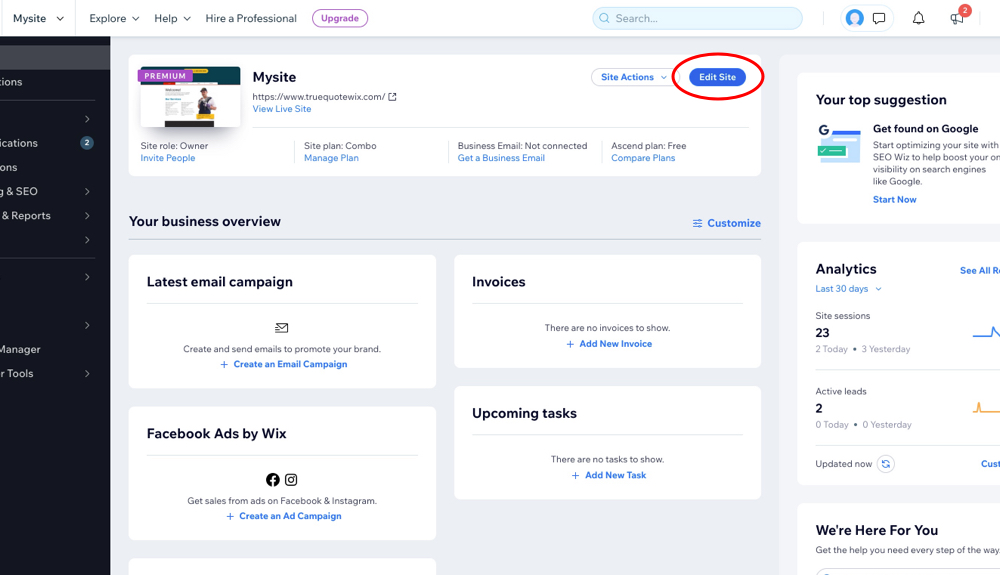
To do this, select the Edit Site menu from your dashboard.
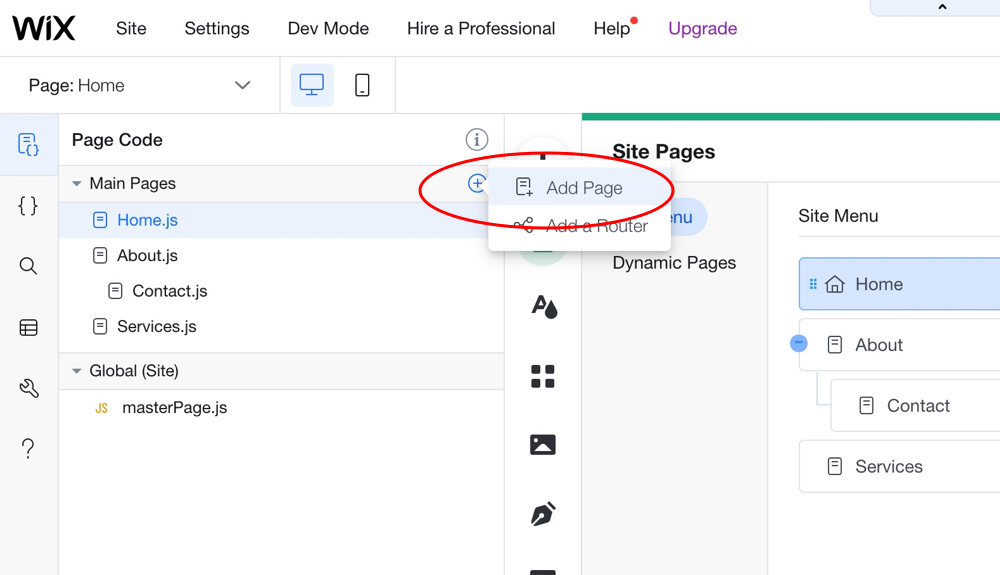
From the Page Code menu, select the + icon and choose the Add Page menu.
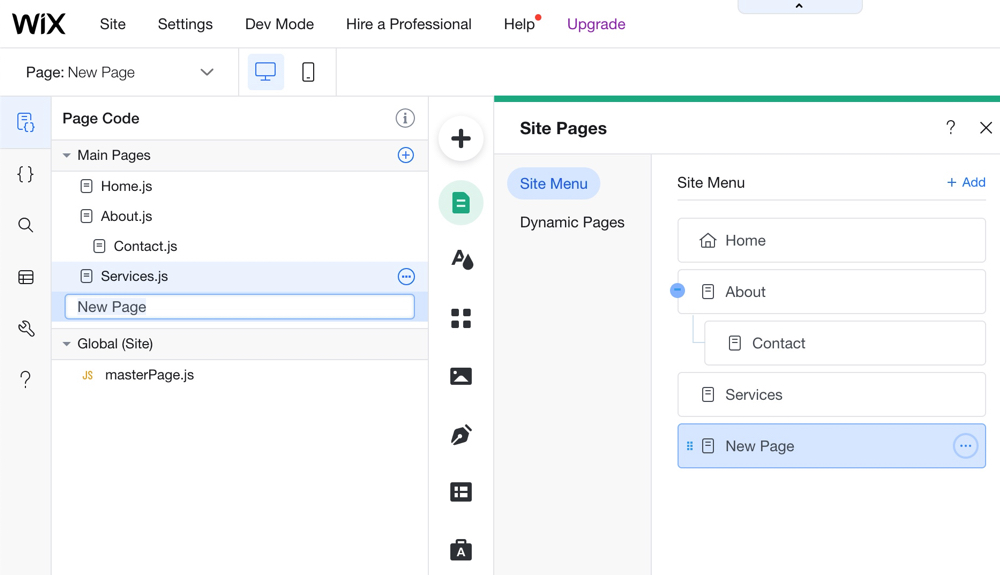
You should now have a new page on your website.
2. Configure your new page
For this page to work correctly, we need to set a few configuration options. First, rename the page — select the Rename option from the icon next to its name.
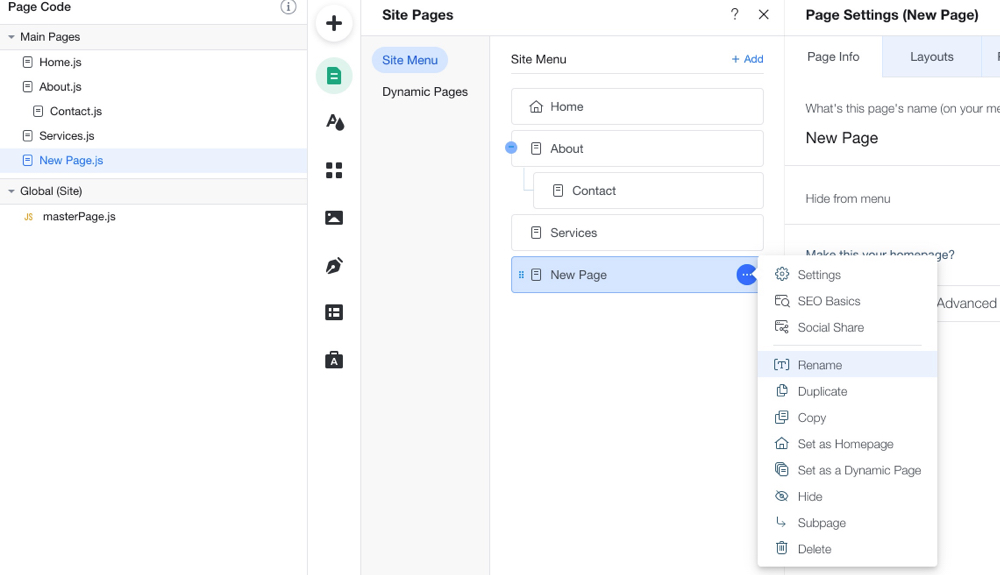
Rename the page to something memorable. We recommend Online Boiler Quote Page.
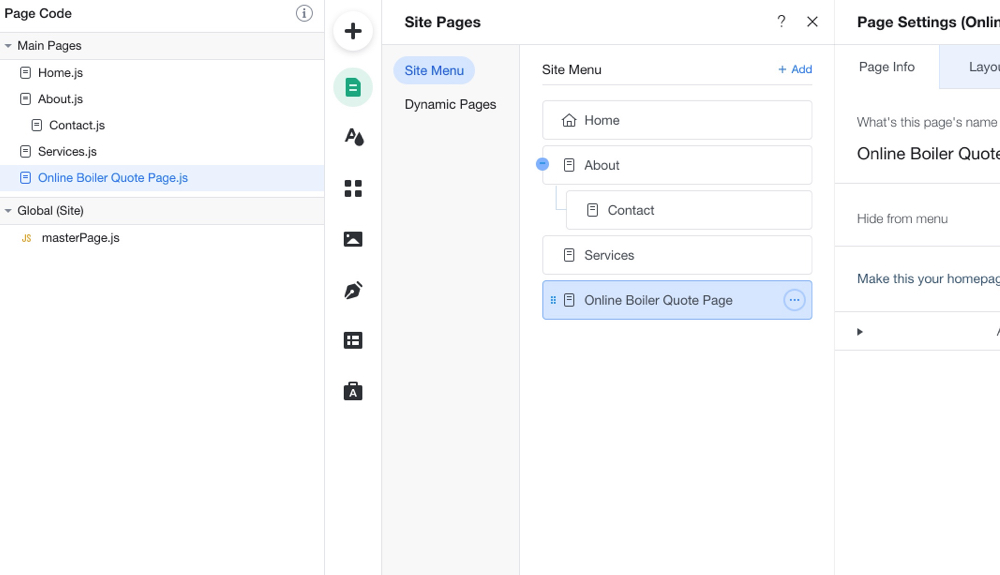
We need this page to be hidden from the menu on your website. Set the Hide from menu option to enabled from the Page Info tab.
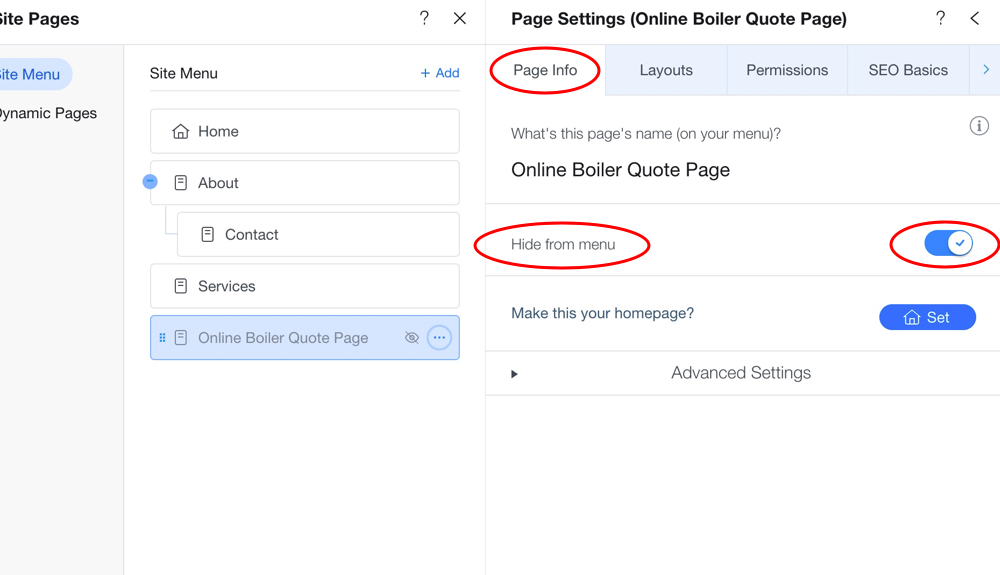
We need this page to have no header or footer. Select the Layouts tab and set it to No Header & Footer. This is very important — if you do not set this option, our quote engine will load with your header and footer and will not work correctly. This is a limitation with Wix due to how they handle site navigation in a non-standard way.
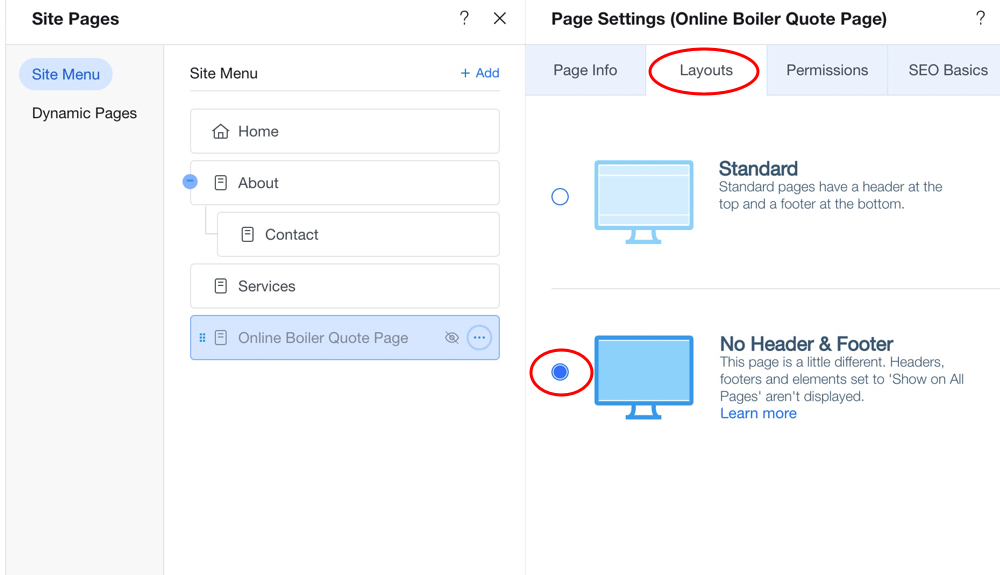
We need to give this page a URL for both Google and our quote engine. Select the SEO Basics tab and give the URL a name that is descriptive and easy to link to. We used online-boiler-quote and recommend you do too. If you do not follow our recommendation, remember your URL — you will need it further down in these instructions.
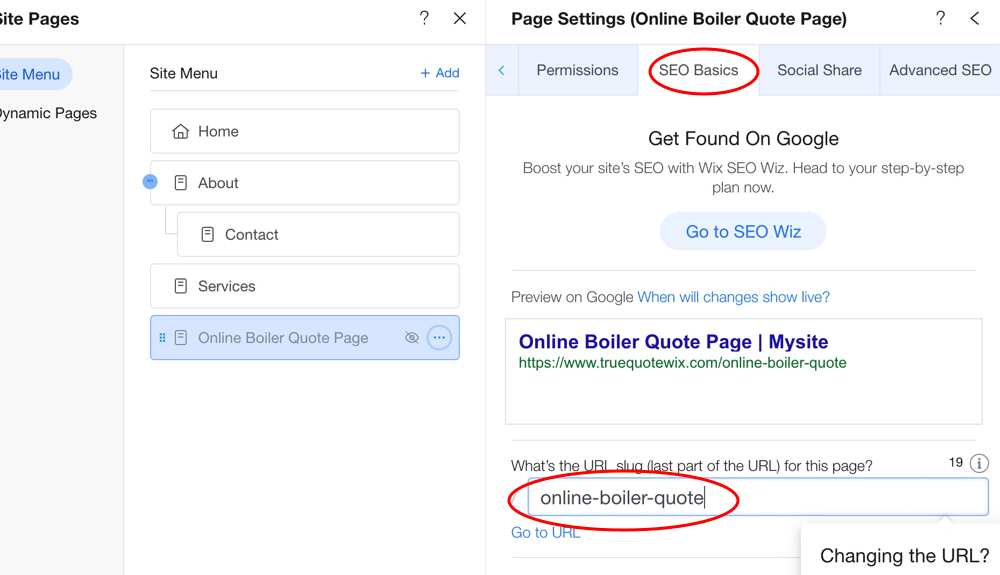
You should now have a new page on your website that is not in your menu and, when opened, contains no header or footer.
3. Create a menu link to your new page
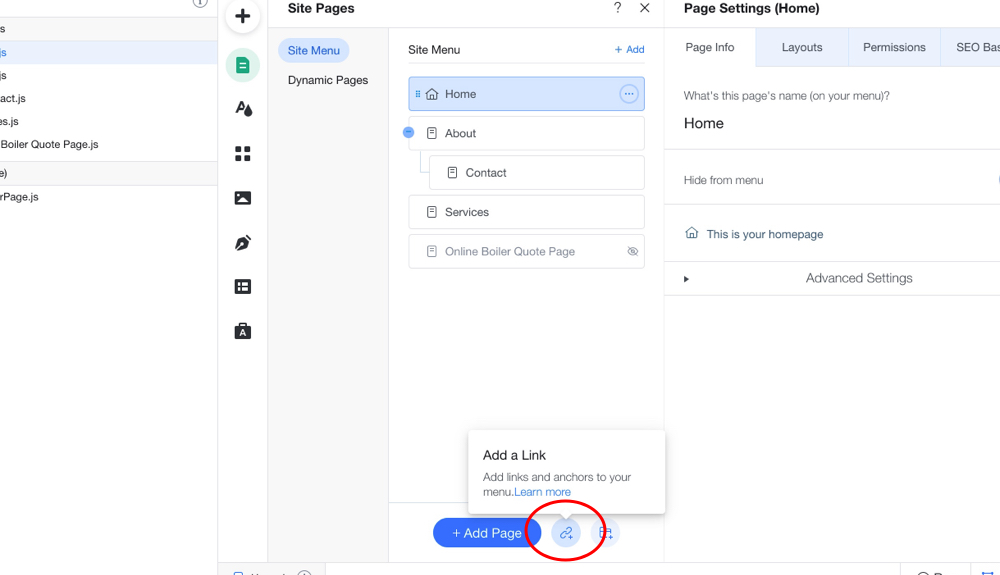
Now we need to add a new menu option to take us to our new page. Select the Add a Link icon.
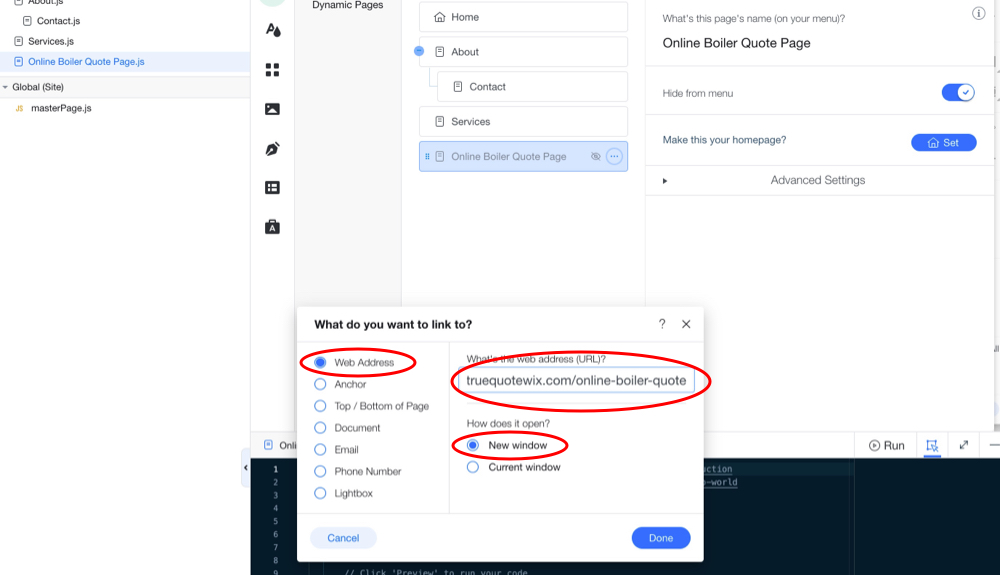
Once the link option is open, select Web Address, New window, and in the URL type in your website name followed by the URL of the new page we added above.
For example, the website address for our Wix website is https://truequotewix.com and the URL of the page we added is /online-boiler-quote, so here we type https://truequotewix.com/online-boiler-quote.
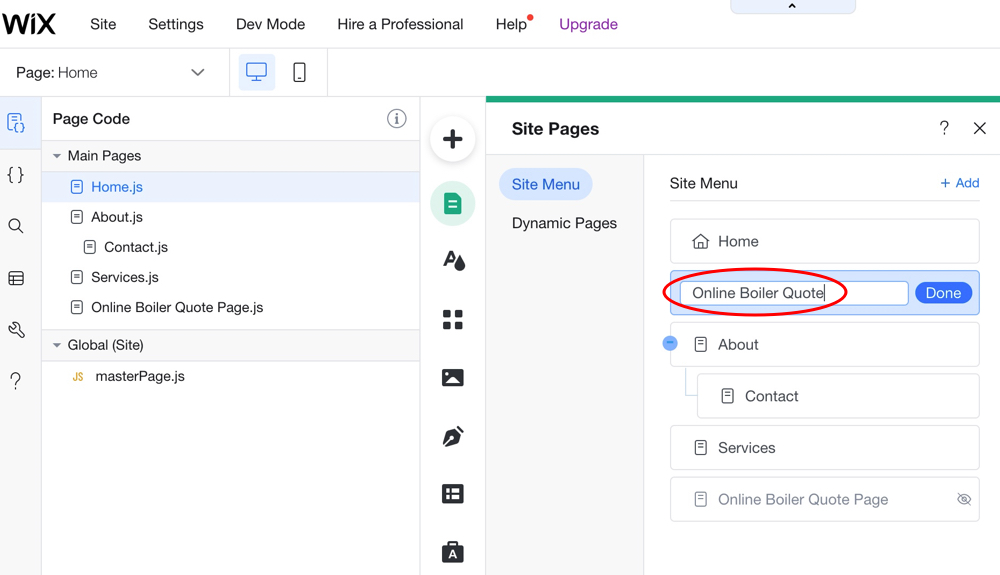
You will now need to type the menu option text for your website. This is the menu that takes the user to our quote engine. We used Online Boiler Quote, but you can set this to whatever you want. Remember, this is what the user sees and clicks to find our quote engine, so be descriptive.
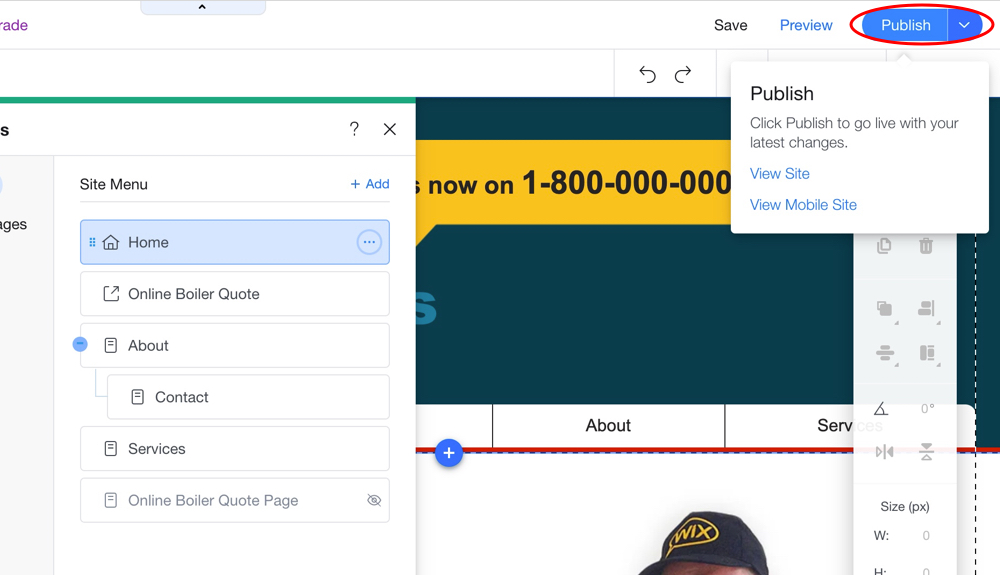
You should now have a new hidden page, with no header or footer, and a new menu option that opens this page in a new browser window.
Now hit the Publish button to update your website with the new menu and webpage.
4. Add our script tag to your website
Click the Wix logo at the top left of your screen to go back to the Wix Dashboard. From there, select the Settings menu and then the Advanced / Custom Code menu options.
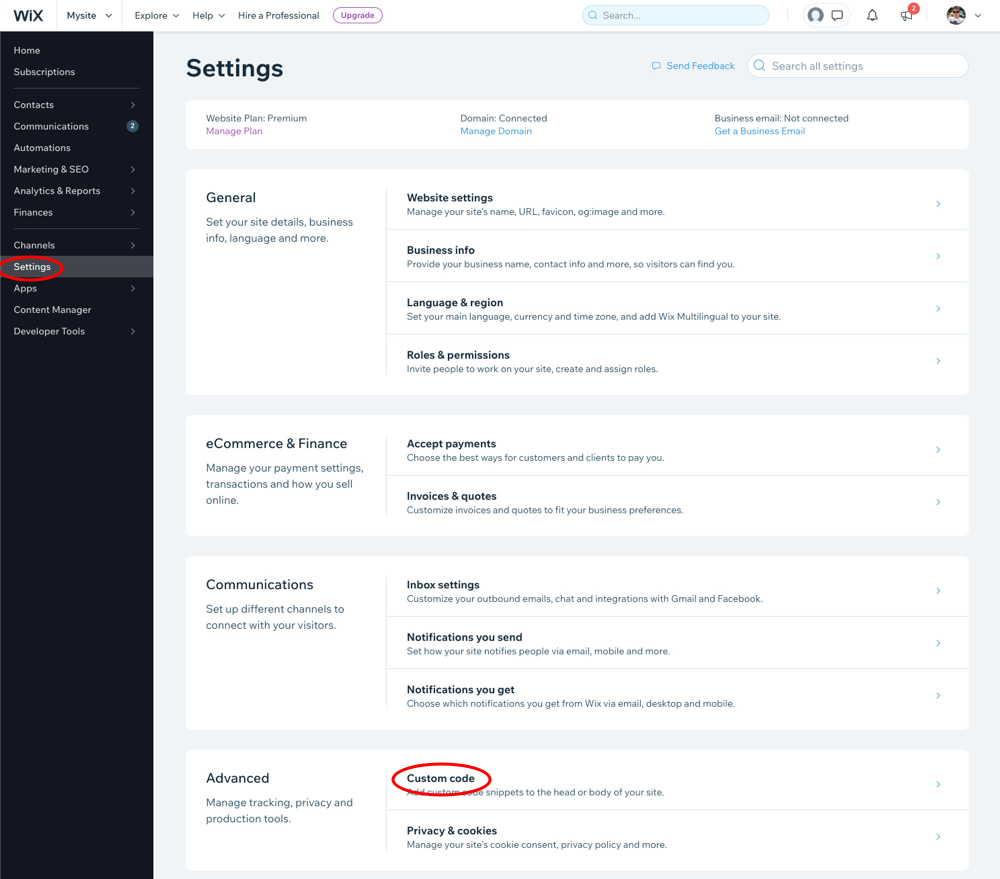
Select the Add Custom Code menu to open the Add Custom Code dialog box.
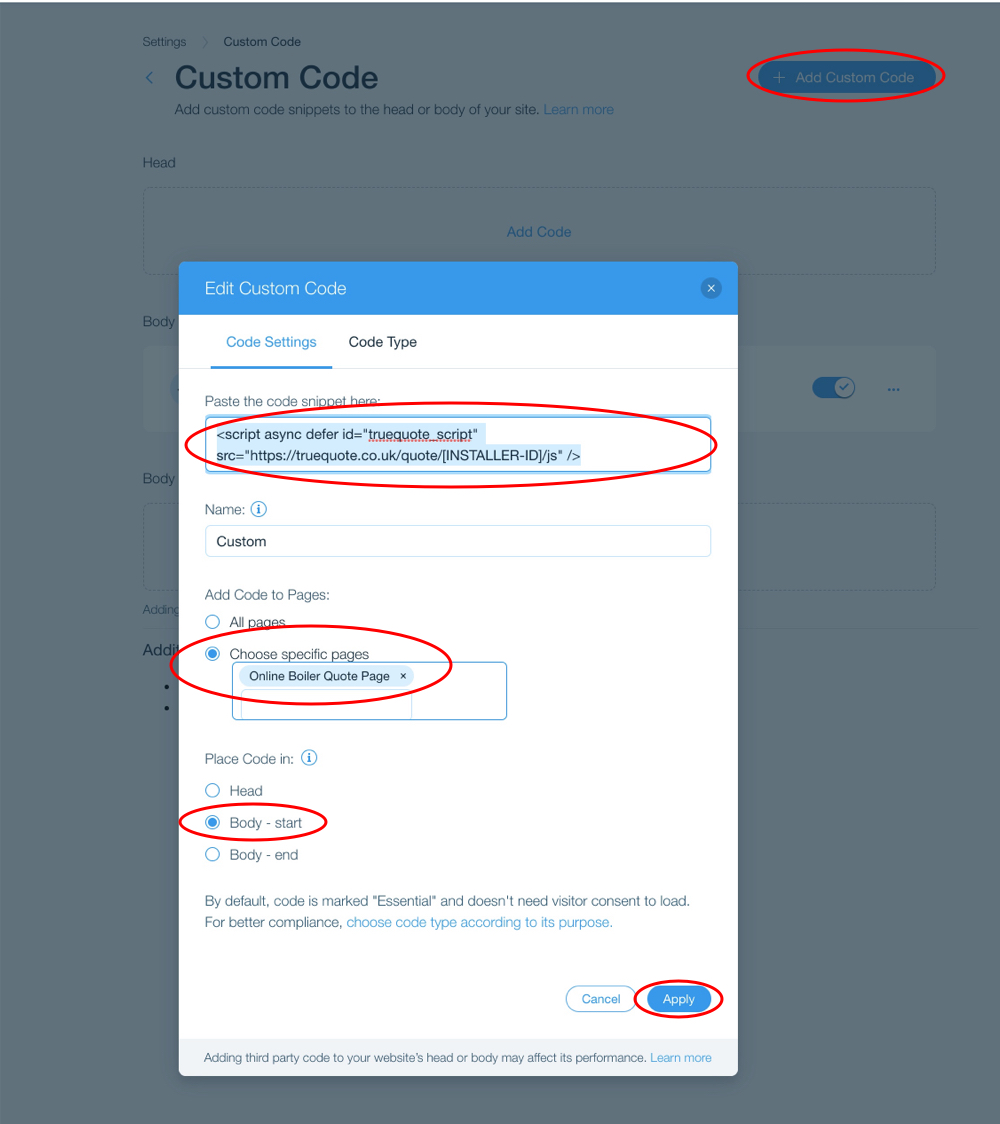
You will now need to copy our script into the code snippet box:
<script async defer id="truequote_script" src="https://truequote.co.uk/quote/[INSTALLER-ID]/js"></script>Note: when you create an account, do not use the
[INSTALLER-ID]from this example as it will not work. We will send you personalised instructions for this to work correctly.
Select the Choose specific pages option and then select the Online Boiler Quote Page from the pages on your website.
Select the Body - start option from the Place code in: option.
Hit the Apply button and our script should be successfully added to your website.
Open your website in a new browser window, hit refresh to make sure everything is refreshed, and select the Online Boiler Quote menu option. If you have followed our instructions correctly, your browser should open a new window with our quote engine loading correctly.
You can then make changes to our quote engine from within your TrueQuote Account. Any changes to the design are instant — all you need to do is hit refresh in the browser on your website.
Final note
Wix is a non-standard website design and hosting platform, aimed at beginners or non-technical website developers. For this reason, while we have managed to get our script working on their platform, it is by no means ideal and comes with limitations.
Whilst we do have some installers who use Wix, we've found the majority who start off on Wix quickly move onto other platforms once they need more advanced features for their website.
We created our test Wix website in order to write these instructions for you to follow. We are not Wix experts and do not offer support for any problems you may have with your Wix website.
Please do not contact us with any questions regarding the Wix Dashboard or the Wix website editor.
If you have any problems adding our script, you will need to contact Wix directly, or hire a Wix website developer for any technical questions you have regarding their platform.
Progress